
You know how to run the session.
It's the tech that keeps tripping you up.
The fastest way to close that gap is you and me, live. 1 session at a time.
Why does that happen?
The tech is making decisions you should be making: what people see, when, and how easily.
That's attention going to your screen instead of the people in front of you.
How it works
The same approach, whatever the goal.
Tell me what's stuck, big or small.
You share your setup. We work on it live, using what you already have.
Leave with it working, and with you able to do it again on your own.
What that looks like
2 ways to work with me, matched to the size of your goal.
Virtual Facilitation Coaching Bundle
Ongoing support as you build.
See the Virtual Facilitation Coaching BundleEither way, you get:
Who I am
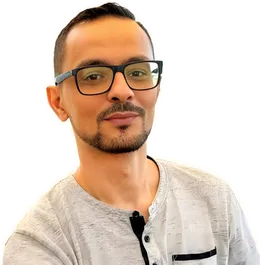
I'm Said Saddouk, the Facilitainer: combining facilitation and entertainment. I'm the tools-and-facilitation person, not one or the other. That's why you don't need to hire 2 people.
With you, that's OBS Studio and Stream Deck for how your session looks and runs, Miro for how your group works together, and Zoom (or whichever call tool you're already on) made to behave. Just a few examples, not the whole toolkit.
The Single Session
One thing. Sorted.
Bring whatever's stuck.
An upcoming workshop. A session that didn't go as planned. A tool that won't behave. A setup that doesn't quite work.
We work through it live until it's sorted.
Virtual Facilitation Coaching Bundle
Kickoff. Work. Momentum.
Bring the whole setup, not one problem.
The kickoff maps what's broken. The five sessions after it work through that list, so you stop assembling every session from scratch.
Kickoff
We figure out what's going on with your setup, your sessions, and what you're building toward, then get straight to work: real fixes and first steps you can build on.
Work
Flexible 60-minute sessions on your real material, one focus at a time.
Momentum
A concrete next step after every session, so you keep building instead of starting over each time. No fixed timeline, no expiry. Go at your pace.
Not sure yet?
Not sure which fits, or not ready to book at all? A free 20-minute discovery call is the lower-stakes start: no pitch, just you and me figuring out what you actually need.
Book a free discovery callWhat people say after a session
Amanda NguyễnLearning Experience Designer, AmandaLXD


Ruben GazkiMeeting Leader Coach, Optimus Kompetanse AS“The session with Said was fun, efficient and very well tailored to my needs. Said demonstrates and explains even pretty technical things in a way that makes them easily understandable, and he mada sure I knew how to do things myself before moving on. All in all, it was a transformative session that gave me so much value!”

Gwyn WansbroughFacilitator, Trainer, Course Creator, Live Session Magic“I’m still AMAZED at how much value I got out of just one 90-minute coaching session with Said. I’d been stuck with a home studio setup that just wasn’t working. I’d spent hours fiddling, tweaking, second-guessing—never quite getting it right. Said changed all that. He helped me troubleshoot every single issue—step by step—with calm, expert guidance. He recommended gear options at different price points (so I could make decisions that fit my budget). He answered every question. No fluff. No overwhelm. Just solid, practical advice. I followed his recommendations to the letter. And now? I have a setup I can trust—reliable, consistent, and finally off my mind. If you’re spinning your wheels trying to get your tech sorted, stop. Book a session with Said. I only wish I’d done it sooner!”

Ciara LancasterReimagine Change® Keynote Speaker, Reimagine Change“Said is a world-class virtual facilitation expert. If you want to learn from someone with deep technical knowledge and a calm, grounded presence, book time with Said immediately. I had two private sessions and walked away feeling more confident in my skills and excited about what I can bring to my virtual audiences. Thank you, Said. The world needs more of your brilliance.”

Frequently asked questions
How do I set up OBS for Zoom?
The basic route: build your scenes in OBS Studio, click Start Virtual Camera, then choose "OBS Virtual Camera" as your camera in Zoom's video settings. Getting scenes, audio and transitions to behave while you're live is where most people get stuck, and it's one of the most common reasons people book a Single Session.
Which Stream Deck should I get as a facilitator?
My gear list has the Stream Deck + as the top pick, the MK.2 as the value pick and the Neo as the budget option. What matters more is what's on it: one press to switch scenes, mute, start a timer or bring up a slide.
I bought the gear but never set it up. Can you help?
Yes, that's one of the most common starting points. We work with what you already have, whether that's a Stream Deck still in the box or an OBS install that never quite worked.
Does this work in Microsoft Teams too?
Yes. Zoom is what I use most, but OBS scenes and Stream Deck shortcuts work across Microsoft Teams, Google Meet and most other call tools. Tell me which one you're on and we set it up there.
Can you help me get ready for a workshop next week?
Yes, that's what the Single Session is for: bring the upcoming workshop and we get your setup ready for it. You book and pick a time straight away, and confirmation arrives by email.
How do I keep eye contact on camera with a teleprompter?
That's something we work through in a session: which teleprompter fits your setup, where the camera and glass go, and how to actually use it in online meetings, so you can look at people and the lens at the same time.
Can I learn this 1:1 instead of the masterclass?
Yes. If the cohort dates don't fit, the Coaching Bundle gets you to the same OBS and Stream Deck setup 1:1. There's no fixed agenda: we plan what you actually need together, and you go at your own pace.